A flowing wave panel in 3D CNC files
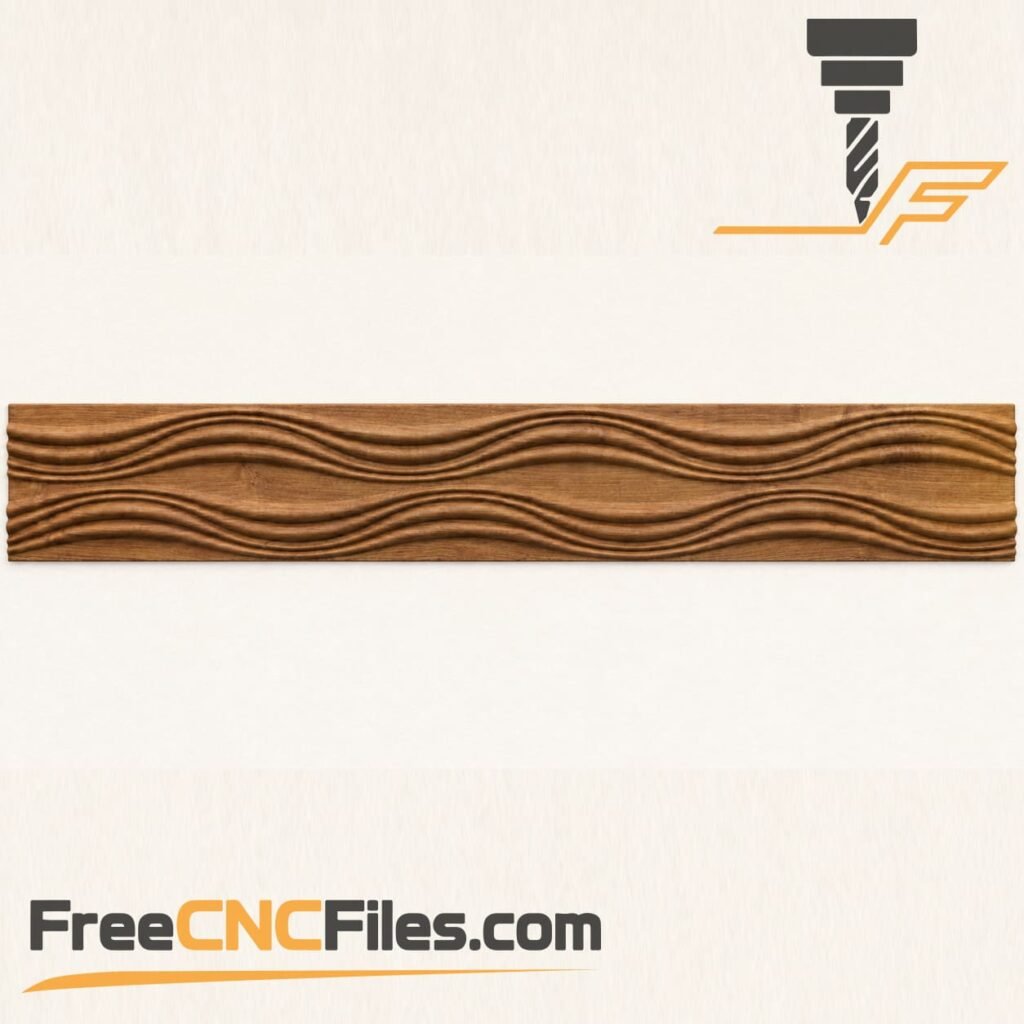
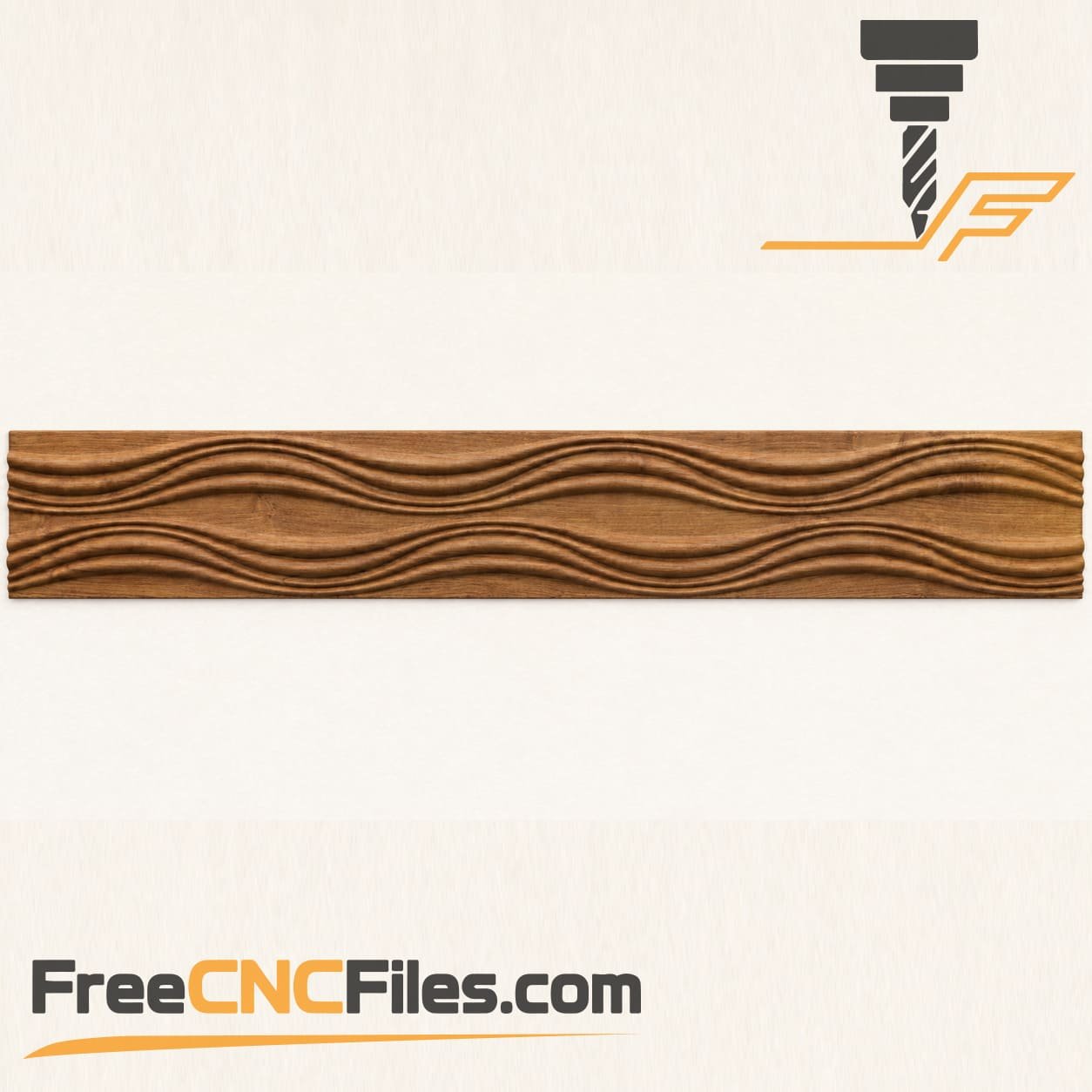
This 3D CNC design features a long rectangular panel with repeated, flowing wave lines across its face. The image shows the pattern as a raised and recessed relief, creating a continuous rhythm of curved lines from one end of the panel to the other. Its elongated layout gives the design a horizontal appearance that may suit projects where a linear decorative detail is desired.
The preview uses a wood-like visual finish to present the relief. This is an image appearance only; the actual material for a finished project is not specified. The design is presented as a 3D model, and the provided file format is STL.
Included file format
The specified format for this 3D design is STL. The download is a digital file, not a physical carved panel. No dimensions, material specifications, or software compatibility information are provided. Review the file details and verify that STL suits your own equipment and process before beginning a project.
Possible project ideas
The wave pattern for CNC may offer a starting point for decorative applications where flowing lines and shallow relief are a good fit. Depending on your design goals and production setup, you might consider adapting it for:
- A decorative panel or wall feature
- A furniture or cabinet detail
- A framed relief artwork
- A sample piece to explore wave-shaped carving
- A design study for a larger composition
These are general suggestions, not confirmed uses or guaranteed results. Check the model’s dimensions and geometry in your own workflow, and make any adjustments needed for your intended application.
Who may find this design useful?
This design may interest CNC makers, digital fabrication enthusiasts, and designers looking for a flowing relief pattern. Its repeated wave forms provide a consistent visual theme across the panel. Whether it suits your project will depend on the dimensions, level of detail, and production requirements you choose.
If you are comparing 3D CNC files for a decorative project, use the preview to assess the overall shape and visual direction. Then check the STL itself before committing to a toolpath or material.
Download and use guidance
After downloading the STL, open it using software or a workflow that supports STL files. Inspect the model before production, paying attention to its dimensions, surface details, and fit with your intended setup. Confirm that your equipment and process can handle the model as provided.
The image preview does not specify exact measurements, machining settings, material, or compatibility with particular machines or software. Determine these details in your own workflow. If you need a different scale or configuration, verify whether adjustments are possible before starting fabrication.
Free digital product
This is a free digital download. No physical panel, wood piece, or other item will be shipped. The product is the STL file for the 3D design. Please check the download area for the file and confirm its contents after downloading.
Frequently asked questions
Is this a 2D or 3D design?
It is presented as a 3D relief design, with flowing wave lines across a rectangular panel.
Which file format is included?
The specified format is STL.
Does the download include a physical panel?
No. This is a digital download, and no physical product will be shipped.
Are the panel dimensions provided?
No dimensions are specified here. Check the file and decide whether its scale suits your project.
What material is the panel designed for?
The preview has a wood-like appearance, but the design’s material requirements are not specified.
Will it work with my CNC setup?
Compatibility is not specified. Check that your software and equipment support the STL and suit the model before production.
Download this free STL and see whether its flowing wave relief fits your next CNC project.

 FREE